# Raios360 - Field Operations Management Platform
**One Platform. More Reliable Teams.**
**One platform for more reliable inspections, audits, field work, compliance, maintenance, and AI-powered reporting.**
Raios360 is the multi-tenant SaaS field operations platform that senior operations leaders run the business on. It leads with four things decision-makers care about: (1) built-in AI that drafts the report, flags the anomaly, and answers the operational question; (2) reliable data that stays accurate and available offline and reconciles when it matters; (3) enterprise-grade security with strict tenant isolation you can defend to your board and auditors; and (4) trust earned over years serving real businesses in the field. From task assignment to form collection, serial and lot tracking to board-ready reporting, Raios360 coordinates your entire mobile workforce.
## Key Features
### Work Management
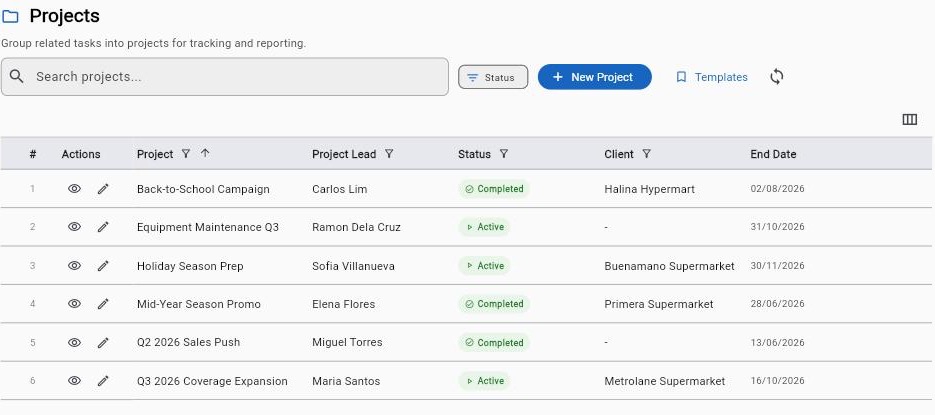
- **Projects**: Create and manage projects with custom statuses, priorities, and timelines. Link tasks, forms, and submissions for complete traceability. Project templates for recurring work.
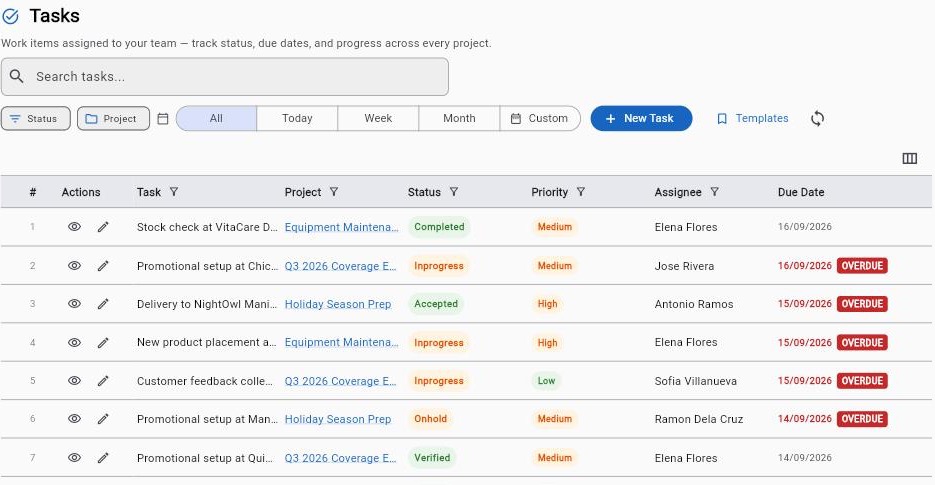
- **Tasks**: Assign to individuals or teams with due dates. Full lifecycle: assign, accept, start, pause, complete, verify. SLA tracking with breach notifications. Task rework for quality control.
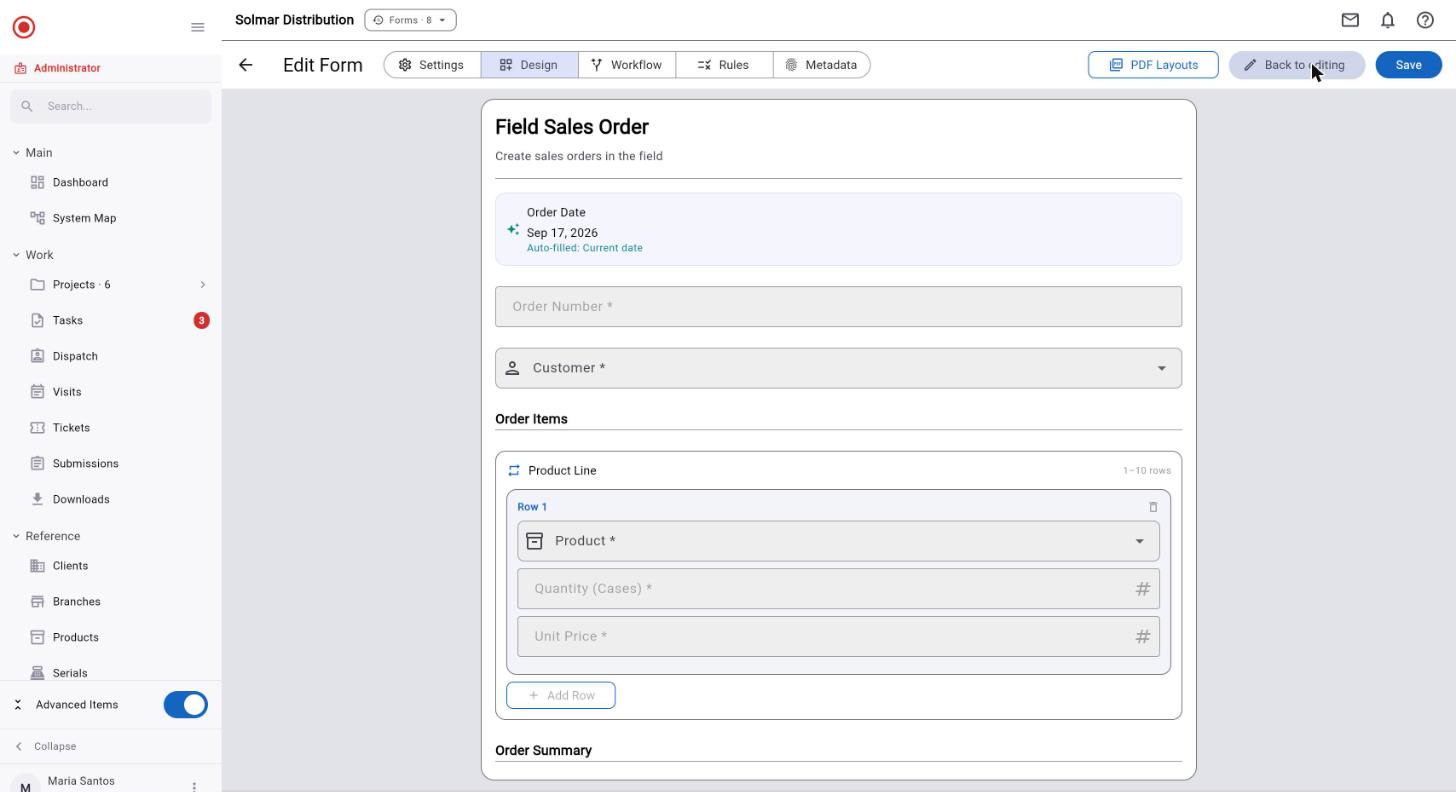
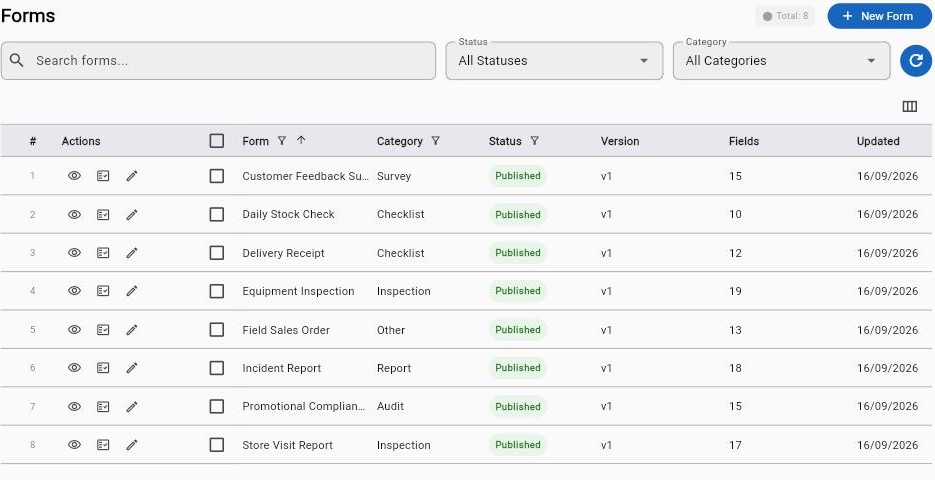
- **Forms**: Visual form builder with 50 field types including check-in location (GPS + timestamp proof). Version control, conditional logic, real-time validation. Data lookup fields for clients, products, serials, lots, databases. Barcode/QR scanning across products, serials, lots, and custom databases.
- **Submissions**: Approval workflows with multi-level chains. Full audit trails with metadata (device, location, network, duration). Resubmission workflow. Archive and export.
### Field Operations
- **Scheduled Visits**: Plan field visits to client locations. Purposes: sales, support, delivery, inspection, maintenance, follow-up. Calendar integration. Status tracking.
- **Geolocation Check-In/Out**: GPS-verified arrival/departure. Location + timestamp for compliance. Duration tracking, overdue detection. Visit outcome recording.
- **Attendance Tracking**: Clock in/out with GPS verification. Break management. Team dashboard. Geofencing support.
### Data Management
- **Client Database**: Contact info, multi-location branches, 15 custom field types, linked tasks/visits/submissions.
- **Product Catalog**: FMCG-ready. SKU, barcode, brand, category. Multiple price types (retail, wholesale, promotional, cost). Price groups. CSV import/export.
- **Serial Tracking**: Track serialized assets through their full lifecycle. Serial numbers with per-unit warranty tracking. Client and sales rep linking. Financial tracking (discount, tax, payment method). Buyer information capture. Supplier and delivery management.
- **Lot Tracking**: Manage batch and consumable goods with lot numbers, expiry dates, and quantity tracking. Link lots to products, clients, and form submissions.
- **Custom Databases**: Unlimited databases with custom schemas. Full-text search. Offline sync. Barcode lookup in forms.
### Reporting & Analytics
- **Report Builder**: Basic and advanced. Multi-form sources, cross-form joins. Aggregations (sum, avg, count, min, max, median). Calculated fields. AND/OR filters.
- **Chart Builder**: 8 types: bar, line, pie, donut, area, scatter, heatmap, table. Live preview. Custom styling.
- **Export**: PDF with company branding, Excel/CSV, scheduled delivery, report archive.
- **Dashboards**: Real-time KPIs, task completion rates, submission trends, visit statistics.
### AI & Integration
- **AI Analytics Assistant**: Natural language data queries. Auto chart/table generation. Conversation history. Supports OpenAI, Anthropic, Google AI, Azure. Organization's own API key.
- **MCP Server**: 26 tools (12 read, 14 write). Permission-bounded. 7 schema resources. 5 prompt templates. Connect Claude Desktop, IDE plugins, custom apps.
- **API Access**: REST API for submissions and reports. API keys with scopes and quotas. Audit logging.
### Team Management
- **Users**: Email invites, multi-org support, admin password reset, activity tracking.
- **Groups**: Hierarchical structure, group leaders with scoped access.
- **Roles & Permissions**: 7 built-in roles. Custom roles. 162 permission combinations (18 resources x 9 actions). Quick and Advanced permission pickers.
### Communication
- **Messaging**: Direct messaging, tap-to-acknowledge, read receipts, threads, channels.
- **Push Notifications**: Task, submission, visit, and message alerts. Multi-device. Deep linking.
- **Notification Center**: Centralized inbox, read/unread, date grouping.
## Platform
- Multi-tenant with complete data isolation
- Module feature toggles (Clients, Products, Serials, Lots, Databases, Workflows)
- Self-service registration with trial period
- Cross-platform: Flutter for web, iOS, Android
- Full offline mobile support with automatic sync
- Human-readable IDs (Dated, Org-Prefixed, Simple formats)
## Applications
- **Web App**: Dashboard, project/task management, form builder, submission review, visit scheduling, data management, report builder, team admin, settings.
- **Mobile App**: Task execution, form filling with photos/signatures/barcodes, GPS check-in, attendance, product/serial browser, offline mode, messaging.
- **Admin Portal**: Organization management, module toggles, user admin, templates, subscription plans, platform analytics.
## Industries
FMCG & Retail, Field Services, Healthcare, Construction, Logistics, Agriculture, Utilities, Real Estate, Local Government, Security Teams.
## Pricing
- **Free Trial**: 30 days, all features, unlimited users, no credit card required
- **Standard**: $18/user/month ($15/user/month billed annually — save 17%)
## Links
- Register: https://app.raios360.com/register
- Login: https://app.raios360.com/login
- Website: https://raios360.com
- Product Brochure (PDF): https://raios360.com/raios360-brochure.pdf
Work Management
Manage every aspect of your field work lifecycle from assignment to completion.
30 days free · No credit card required
Projects
- Create and manage projects with custom statuses, priorities, and timelines
- Link tasks, forms, and submissions to projects for complete traceability
- Use project templates to standardize recurring work
- Track project progress with real-time dashboards
Tasks
- Assign tasks to individuals or teams with due dates and priorities
- Complete task lifecycle management: assign, accept, start, pause, complete, verify
- Standalone tasks — project is always optional, with client/branch assignment when no project selected
- Task rework workflow for quality control
- SLA tracking with breach notifications
- Save tasks as reusable templates
Forms
- Visual form builder with 50 field types including check-in location, photo tags, audio recording
- Photo Tag field — camera capture with metadata overlay (title, GPS, date/time, device) burned into the image
- Conditional logic, repeatable sections, real-time field validation (email, phone, number, text patterns)
- Data lookup fields for clients, products, serials, lots, and custom databases
- Barcode and QR code scanning across products, serials, lots, and custom databases
- Submission metadata with reverse geocoding and fraud detection signals
Submissions
- Form submission tracking with approval workflows and designated approvers per form
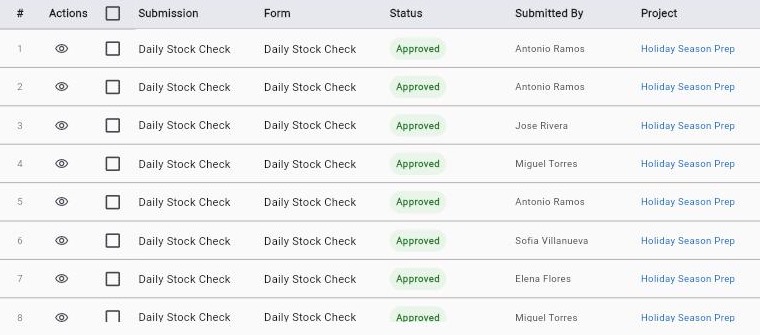
- "Pending My Approval" filter for quick access to submissions awaiting your review
- Rich metadata columns: Form, Project, Task, Location, Duration, Submitted Via — with column picker to customize view
- Submission history and audit trails with full metadata (device, location, network, duration)
- Fraud detection metadata with semantic coloring (root/jailbreak, mock location, VPN, emulator)
- Field columns in table view with grouped/flat toggle for repeatable sections
- Export Wizard: 3-step column selection, preview, and download (CSV/Excel) across all data modules
- Client and Branch columns in metadata — slice submissions by who and where
- Zebra-striped rows, row numbers, and multi-select checkboxes for faster scanning and bulk actions
- Date-range shortcut popup: Today, Yesterday, This Week, Last Week, This Month, Last Month, Last 7, Last 30, or Custom
- Reviewer Notes thread on every submission — flag discrepancies, request clarification, track follow-ups without mutating the source of truth
- Edit History panel driven by the Audit Log module: every change recorded with editor, timestamp, and field-level diff
Workflow Automation
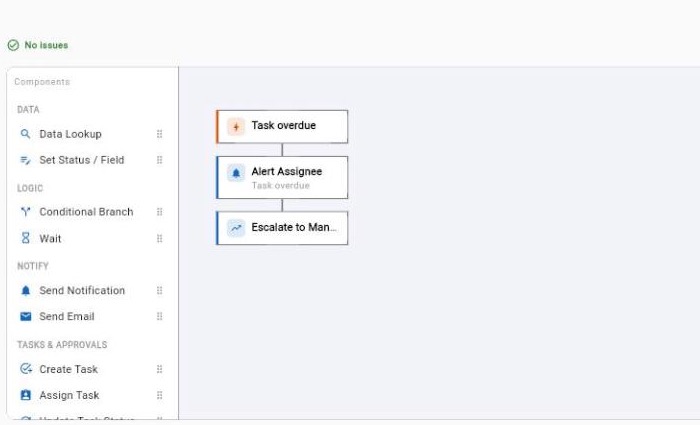
- Visual designer — drag steps onto a canvas, branch on conditions, and see validation before you save
- Triggers for every stage: task created, completed, overdue or assigned; form submitted; visit completed; approval required; escalation; on a schedule; run manually; or when a metric crosses a threshold — a Metric Alert fires once per crossing, not every few minutes
- 14 step types across data, logic, notifications, tasks and approvals — including Data Lookup, For Each, Set Status / Field, Conditional Branch, Wait, Send Email, Request Approval, Escalate to Manager, Create Ticket and Call Webhook
- Re-check waiting submissions automatically when your validation list changes — a sale recorded before its serial number reached the list is approved the moment it arrives
- Approvals with several approvers, and notifications to several named people at once
- Start from a template library (approvals, escalations, notifications, scheduled, validation) or from scratch
- Narrow a workflow to a single project with trigger conditions
- Every run is recorded on an Executions tab, with a separate queue for approvals it raises
Public Surveys
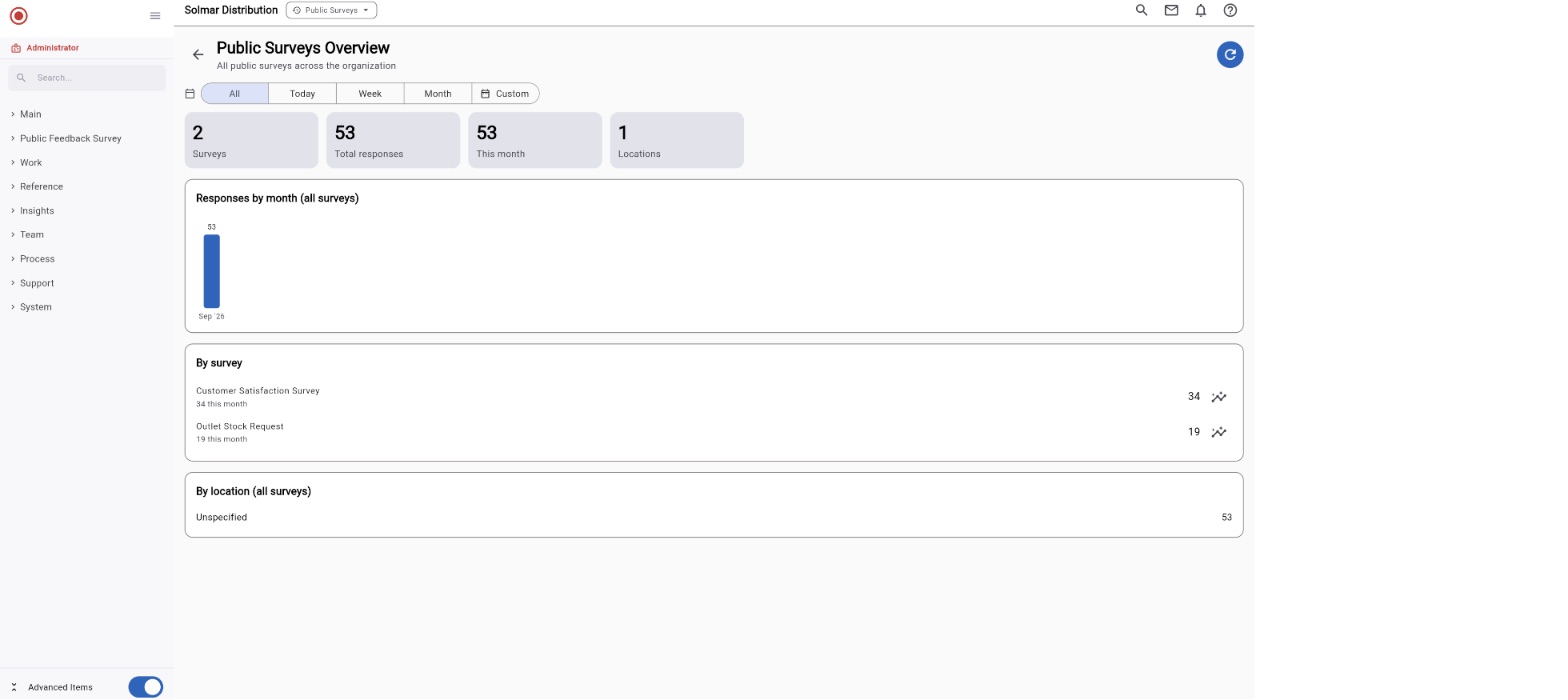
- Collect responses from anyone with a link or QR code — no app and no login required
- Pin a survey to a location so only people who are actually on site can respond
- Publish, pause, or retire each location on its own; print a QR poster for the venue
- Watch responses arrive with per-location and organization-wide analytics
Ready-Made Solutions
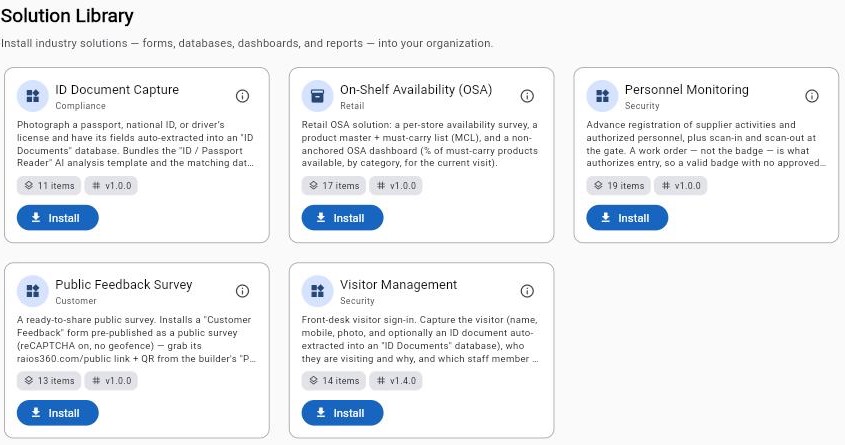
- Install a ready-made setup in one click — forms, dashboards, and databases included
- Start from a proven pack (retail shelf checks, visitor sign-in, ID capture) instead of a blank slate
- Everything installs pre-configured and stays yours to edit — and uninstalls just as cleanly
Ready to run field operations on data you can trust?
30 days free. No credit card required.